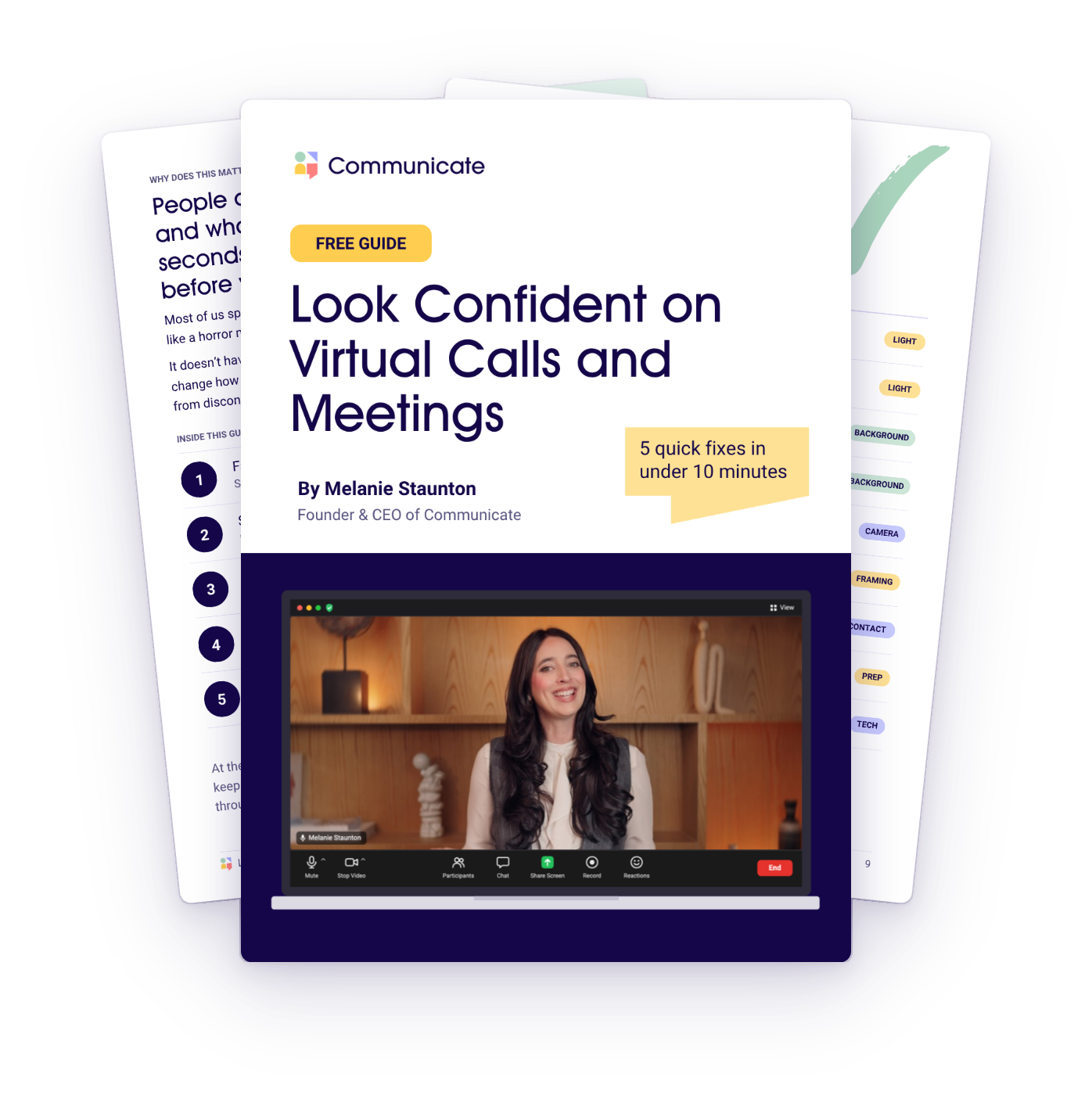
FREE GUIDE
Look confident on your next virtual call, meeting or presentation!
- 5 quick fixes you can make in under 10 minutes, to look confident on Zoom or whichever platform you use.
- 3 bonus tips!
- A checklist to run through before every virtual call, meeting or presentation.
Pop in your details below and I'll email it to you!
You'll also get MellyMail, my weekly email with tips and news about my courses. You can unsubscribe at any time.
TRUSTED BY TEAMS AT






Why does this matter?
People decide how they feel about you and what you have to say in the first few seconds of a video call, and sometimes before you even arrive! Most of us spend those seconds looking down at the screen, lit from behind like a horror movie, with a background that distracts everyone in the meeting.

Lit from behind
If the window is behind you, you become a silhouette.

Camera too low
When you look down at your camera, you look like a floating head!

A busy background
A messy room distracts your audience from what you're saying.

Too close to the camera
One to avoid, unless you want to look like my mum on FaceTime!

Looking at your audience
When you look at your audience on the screen, you look distracted and disconnected.
It doesn't have to be this way! These 5 fixes take less than 10 minutes, and they'll change how you come across in every virtual team meeting, client pitch and webinar.
INSIDE THE GUIDE
5 quick fixes, in under 10 minutes
01
Face the light
Sit facing a window or a light.
02
Simplify your background
Keep your background clean and neutral.
03
Raise your camera to eye level
No more looking down at your audience.
04
Frame yourself like a passport photo
Centred, shoulders in view, a small gap above your head.
05
Look at the camera, not the screen
That’s what makes your audience think you are looking at them.
BONUS
3 bonus tips and a pre-call checklist
When to join, how to check your audio, and a 9-point checklist to keep next to your screen.
CLIENT STORIES
What people say about working with Melanie
Mel helped me find my voice… she taught me how to use tone to convey our story and connect with the audience. Thanks to her help, I was able to win Latino Startup of the Year.
Eric Aguilar
CEO, Omnitron Sensors
We engaged Melanie as a keynote for around 100 of our senior leaders at Knight Frank, and she really delivered! Melanie's ability to engage the audience made the room full of 100 feel almost like an intimate workshop for 20.
Alyssa Reinoso
Marketing Director, Knight Frank
One of my favourite training sessions at PwC Middle East! Huge thanks to Melanie Staunton for masterfully and magically making an hour seem like 10 minutes.
Khamael
PwC Middle East

MEET YOUR COACH
Hi, I'm Melanie!
I'm an international keynote speaker, specialising in presentation skills, storytelling and communicating with impact. For over a decade I've trained thousands of professionals around the world to show up with confidence, in person and online.
I went from studying law, to acting in New York, to delivering training programs for organisations in over 15 countries.
When Covid moved all my training onto Zoom, I learned everything I could about presenting through a screen. Once I even managed to keep a 90-minute webinar going, whilst a builder drilled into my home office window!
I'm so excited to help you master the skills that will empower you to communicate with confidence on any virtual platform.
- 5,000+ people trained in the last 5 years
- 15+ countries, virtually and in person
- 10+ years training professionals
FREE GUIDE
Get your free guide
5 quick fixes you can make in under 10 minutes.
Pop in your details below and I'll email it to you!
You'll also get MellyMail, my weekly email with tips and news about my courses. You can unsubscribe at any time.